Category: Yahoo

  • Best Yahoo Services for Business Users

    Best Yahoo Services for Business Users

    Yahoo offers a variety of services that can be incredibly useful for business users. Whether you are a small startup or a large enterprise, you can take advantage of the best Yahoo services for business users to streamline your processes, improve communication, and boost productivity. In this article, we’ll explore some of the top Yahoo services that can benefit your business.

    1. Yahoo Mail for Business

    One of the most important tools for any business is email, and Yahoo Mail for Business provides a powerful platform for managing business communications. With a user-friendly interface and features designed for professionals, this email service can make communication more efficient.

    Features of Yahoo Mail for Business

    • Custom Domains: You can create email addresses using your business domain.
    • Large Storage Capacity: Yahoo Mail offers large storage for your emails and attachments.
    • Security Features: Includes strong spam filters and encryption to protect sensitive information.

    These features make Yahoo Mail for Business a great choice for companies that need a reliable and secure email system.

    Best Yahoo Services for Business Users
    Best Yahoo Services for Business Users

    2. Yahoo Small Business

    Yahoo Small Business is another excellent service that provides a variety of tools to help businesses grow online. From website hosting to e-commerce solutions, Yahoo offers everything a small business needs to get started online.

    What Yahoo Small Business Offers

    • Website Builder: Easily create a professional-looking website for your business.
    • E-commerce Solutions: Set up an online store to sell products directly from your website.
    • Domain Registration: Register your business domain name quickly and easily.

    If you’re a small business owner looking to establish an online presence, Yahoo Small Business is one of the best Yahoo services for business users to consider.

    3. Yahoo Finance for Business Users

    For business owners, staying updated with financial news and trends is crucial. Yahoo Finance offers a comprehensive platform where you can track stocks, investments, and other financial data. It’s especially useful for making informed decisions about your company’s finances.

    How Yahoo Finance Helps Business Users

    • Market Analysis: Keep track of market trends and stock performance.
    • Investment Tools: Use financial tools to analyze your investments and business assets.
    • Personalized Finance News: Get news relevant to your business sector and market.

    By using Yahoo Finance for Business Users, you can stay informed about the financial landscape and make better decisions for your company.

    4. Yahoo Calendar for Scheduling

    Another great tool is Yahoo Calendar, which helps businesses manage appointments, meetings, and deadlines. This service allows you to schedule events, share calendars, and set reminders to keep everyone on track.

    Benefits of Yahoo Calendar for Business

    • Sync Across Devices: Keep your calendar updated across all devices.
    • Collaborative Features: Share calendars with team members and coordinate schedules.
    • Event Reminders: Set reminders for important meetings and events.

    Having a well-organized calendar is essential for any business, and Yahoo Calendar for Business Users offers a simple yet effective way to manage time.

    5. Yahoo Groups for Team Collaboration

    Yahoo Groups is another great service that can help businesses improve communication and collaboration. With Yahoo Groups, you can create discussion groups, share files, and send group emails easily. It’s an excellent tool for managing internal communications and teamwork.

    Why Use Yahoo Groups for Business?

    • File Sharing: Share documents and files with your team.
    • Discussion Forums: Use forums for brainstorming, project discussions, and feedback.
    • Email Communication: Send group emails to your team members with ease.

    Using Yahoo Groups for Business Users can enhance teamwork and help you communicate better within your organization.

    6. Yahoo Ads for Marketing

    If you want to reach more customers and grow your business, Yahoo Ads is a powerful tool for online advertising. It allows you to create targeted ads that reach potential customers based on their interests and browsing habits.

    Features of Yahoo Ads for Businesses

    • Targeted Advertising: Target your ads to specific demographics and interests.
    • Budget Control: Set a budget and track your ad spending.
    • Analytics: Use detailed analytics to measure the success of your ads.

    Yahoo Ads for Business Users is a great option if you want to improve your online visibility and drive more traffic to your website.

    Conclusion

    In conclusion, many best Yahoo services for business users can help improve productivity, communication, and growth. From reliable email services like Yahoo Mail for Business to helpful tools like Yahoo Finance and Yahoo Calendar, there is a service for every need. Yahoo’s comprehensive suite of tools is designed to help businesses of all sizes succeed. By using these services, you can streamline your operations and focus on growing your business.

  • How to Manage Yahoo Settings for Maximum Privacy and Security

    How to Manage Yahoo Settings for Maximum Privacy and Security

    In today’s digital landscape, securing your online accounts is essential. With its widespread use, Yahoo offers several settings and tools to help protect your privacy and ensure your account remains secure. This guide walks you through how to optimize your Yahoo settings for maximum privacy and security.


    1. Strengthen Your Yahoo Password

    A strong password is the first line of defense for your Yahoo account.

    • Use a mix of uppercase letters, lowercase letters, numbers, and special characters.
    • Avoid using easily guessed information like birthdays or names.
    • Change your password regularly to minimize risks.

    Tip: Use a password manager to generate and store secure passwords.


    2. Enable Two-Step Verification

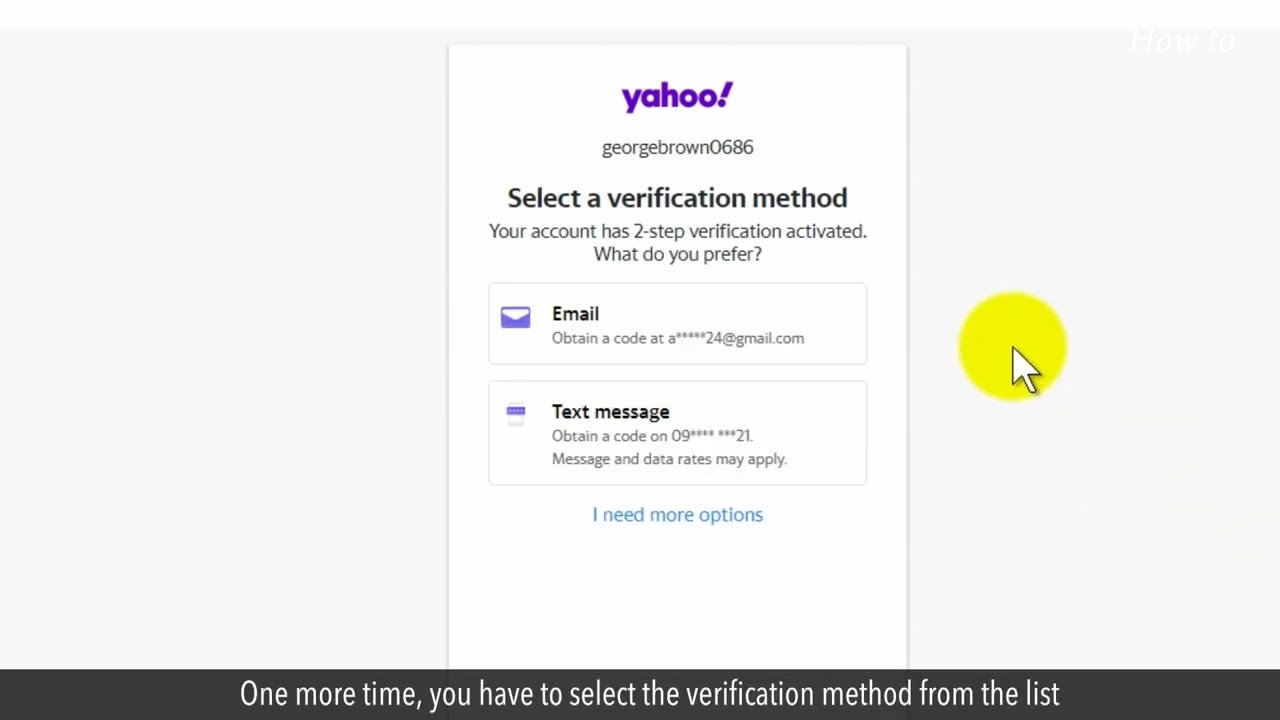
    Two-step verification adds an extra layer of security by requiring a verification code in addition to your password.

    • Go to Account Security in your Yahoo settings.
    • Select Two-step Verification and follow the prompts to add your mobile number.
    • Use the code sent to your phone to complete the setup.

    Benefits: Even if someone steals your password, they won’t be able to access your account without the verification code.


    3. Monitor and Manage Account Activity

    Yahoo provides tools to track account activity and detect suspicious logins.

    • Navigate to Recent Activity in your account settings.
    • Review login locations, devices, and timestamps.
    • If you see anything unfamiliar, change your password immediately.

    Tip: Regularly check this section to stay ahead of potential threats.


    4. Customize Privacy Settings

    Take control of how Yahoo handles your data by managing privacy preferences.

    • Go to the Privacy Dashboard in your settings.
    • Adjust ad preferences, location tracking, and third-party sharing options.
    • Opt out of targeted advertising if desired.

    Why It Matters: Reducing data sharing minimizes exposure to unwanted ads and potential misuse of your information.


    5. Set Up Recovery Options

    Recovery options ensure you can regain access to your account if you lose your password.

    • Add a recovery email address and phone number in the Account Security section.
    • Verify these details to ensure they’re up to date.

    Best Practice: Use a recovery email that’s also secure and frequently monitored.

    How to Manage Yahoo Settings for Maximum Privacy and Security
    How to Manage Yahoo Settings for Maximum Privacy and Security

    6. Manage App Permissions

    Third-party apps connected to your Yahoo account can pose security risks.

    • Go to Manage App Permissions under your account settings.
    • Review the list of connected apps and remove any you no longer use or trust.

    Tip: Limit app access to only those necessary for your workflows.


    7. Activate Account Key

    Yahoo Account Key replaces passwords with a more secure login system.

    • Turn on Account Key in the Account Security section.
    • Link it to your mobile device for easy, secure logins.

    Benefits: Eliminates the need for passwords, reducing the risk of breaches.


    8. Update Security Questions

    Security questions are a fallback for account recovery.

    • Choose questions with answers that aren’t easily guessed or found online.
    • Avoid using answers that others might know.

    9. Beware of Phishing and Scams

    Stay vigilant against phishing attempts and scams targeting Yahoo users.

    • Yahoo will never ask for your password via email.
    • Report suspicious emails by forwarding them to abuse@yahoo.com.

    10. Log Out from Unused Devices

    If you’ve logged into your Yahoo account on a shared or public device, log out remotely:

    • Go to Recent Activity and select Sign Out next to unrecognized devices.

    Conclusion

    By following these tips, you can significantly enhance your Yahoo account’s privacy and security. Regularly reviewing and updating your settings ensures that your data stays safe and your account remains protected against evolving online threats.

  • How to Recover Your Yahoo Account

    How to Recover Your Yahoo Account

    Losing access to your Yahoo account can be frustrating, but don’t worry. Knowing how to recover your Yahoo account can help you get back to your emails, contacts, and settings. In this article, we’ll guide you through the steps to recover your account and ensure it’s secure. Follow these instructions, and you’ll have your account back in no time.

    How to Recover Your Yahoo Account
    How to Recover Your Yahoo Account

    1. Start the Recovery Process

    The first step in how to recover your Yahoo account is to go to the Yahoo Sign-In Helper page. Here, you will find options to reset your password or recover your username. Begin by entering the email address or phone number linked to your account.

    How to Use Yahoo Sign-In Helper

    • Visit the Yahoo Sign-In Helper page.
    • Enter the Yahoo email or mobile number associated with your account.
    • Click on the Next button to continue.

    After entering your details, Yahoo will check if the information matches with their records. If it does, Yahoo will guide you through the recovery process.

    2. Choose Your Recovery Method

    Once you’ve entered your details, Yahoo will give you different options to recover your account. These options include sending a recovery code to your backup email address or phone number. If you have access to these, choose one of them.

    Available Recovery Methods

    • Email Recovery: Yahoo will send a code to your backup email.
    • Phone Number Recovery: A code will be sent to your linked mobile number.
    • Security Questions: If you’ve set up security questions, you can answer them to proceed.

    Select the most convenient method for you. If you don’t have access to the backup email or phone number, you can try using security questions or request further assistance from Yahoo.

    3. Enter the Verification Code

    After you choose a recovery method, you’ll receive a verification code. This code helps confirm that you are the account owner. Once you get the code, enter it in the required field to continue the process.

    Tips for Entering the Code Correctly

    • Double-check the code before entering it.
    • Make sure you’re connected to the internet to receive the code.
    • If you didn’t receive the code, click on Resend Code to try again.

    Once the correct code is entered, you will move to the next step of account recovery.

    4. Reset Your Password

    Now that you’ve verified your identity, you can reset your password. Yahoo will prompt you to create a new password. Make sure your new password is strong and unique. Use a combination of letters, numbers, and symbols to increase security.

    Creating a Strong Password

    • Use a mix of uppercase and lowercase letters.
    • Add numbers and special characters.
    • Avoid using obvious words like your name or birthday.

    Once you’ve set your new password, you should be able to log in to your Yahoo account with it.

    5. Check Your Account for Any Changes

    After you’ve recovered your account, it’s important to check your recent activities. Look for any unfamiliar activity like emails you didn’t send or settings that have changed. If you find anything suspicious, take action immediately.

    How to Protect Your Account

    • Update your security settings: Add recovery options like a new email or phone number.
    • Enable two-factor authentication: This adds an extra layer of security.
    • Review your account’s connected apps: Make sure no unknown apps have access to your account.

    6. What to Do If You Can’t Recover Your Yahoo Account

    If you’re still unable to recover your Yahoo account, don’t panic. Yahoo offers additional support. You can contact their customer service for help. They may ask for more details to verify your identity.

    How to Reach Yahoo Support

    • Go to the Yahoo help page and look for contact options.
    • Choose Contact Us for personalized support.
    • Fill out a form explaining your issue, and Yahoo will get back to you.

    Conclusion

    In conclusion, how to recover your Yahoo account is a straightforward process. By following the steps above, you can regain access to your account in no time. Remember to choose a strong password and review your security settings to prevent future issues. If you’re still facing difficulties, Yahoo customer service can help. Stay safe online by keeping your account protected!

  • Best Yahoo Apps for Mobile Users

    Best Yahoo Apps for Mobile Users

    In today’s fast-paced world, staying connected and productive is crucial. If you’re a mobile user, you need efficient apps that can help you manage your daily tasks. Best Yahoo apps for mobile users provide everything from easy email management to quick access to the latest news and finance updates. In this article, we will explore some of the most useful Yahoo apps available for mobile users and how they can help improve your day-to-day life.

    1. Yahoo Mail App: Stay Organized

    One of the best Yahoo apps for mobile users is the Yahoo Mail app. It allows you to easily access your inbox, send emails, and organize your messages. The app is simple to use and has many features that make managing emails on the go easier.

    Features of the Yahoo Mail App

    • Customizable Folders: You can create folders to organize your emails.
    • Quick Filters: Easily sort emails by categories like important or unread.
    • Attachment Preview: View attachments directly without opening them.

    With these features, the Yahoo Mail app ensures that you can keep your inbox organized and manage your emails efficiently, even while on the move.

    Best Yahoo Apps for Mobile Users
    Best Yahoo Apps for Mobile Users

    2. Yahoo News: Stay Updated

    Another one of the best Yahoo apps for mobile users is the Yahoo News app. This app delivers the latest news stories directly to your phone. Whether you are interested in local news, global events, or entertainment, Yahoo News has you covered.

    Why Yahoo News is Great for Mobile Users

    • Personalized News Feed: You can customize your feed to get news on topics you care about.
    • Breaking News Alerts: Stay informed with real-time notifications on major events.
    • Video Content: Watch the latest news videos wherever you are.

    With Yahoo News, you can easily stay up-to-date on what’s happening around the world, making it one of the top apps to have on your phone.

    3. Yahoo Finance: Manage Your Money

    For mobile users interested in finance, the Yahoo Finance app is a must-have. It provides real-time stock updates, financial news, and personalized portfolios, making it easier to keep track of your investments.

    Key Features of Yahoo Finance

    • Stock Market Tracking: Track your favorite stocks and view detailed charts.
    • Real-Time Alerts: Receive notifications on stock price changes.
    • Financial News: Get the latest news about your investments.

    Whether you’re a beginner or an experienced investor, Yahoo Finance can help you stay informed about your financial situation.

    4. Yahoo Sports: For the Sports Enthusiast

    If you’re a sports fan, Yahoo Sports is one of the best Yahoo apps for mobile users. It brings you the latest scores, live updates, and sports news, all in one place.

    Benefits of Using Yahoo Sports

    • Live Scores and Updates: Follow your favorite teams with real-time updates.
    • Team Customization: Customize the app to focus on the sports and teams you care about.
    • Detailed Stats: View in-depth player and team statistics.

    Yahoo Sports is perfect for anyone who wants to stay connected to the world of sports, whether it’s football, basketball, or any other game.

    5. Yahoo Weather: Get the Forecast

    Yahoo Weather is a fantastic app to check the weather and stay prepared. It provides detailed weather reports, forecasts, and conditions for your location and others around the world.

    Features of Yahoo Weather

    • Beautiful Visuals: View weather forecasts with beautiful photos from Flickr.
    • Hourly Forecasts: Get detailed hourly weather predictions.
    • Severe Weather Alerts: Stay informed with notifications on severe weather conditions.

    This app ensures that you are always prepared for the weather, no matter where you are.

    6. Yahoo Messenger: Connect with Friends

    Though not as popular as it once was, Yahoo Messenger remains one of the best Yahoo apps for mobile users who want to stay in touch with friends and family. It provides a fast and simple way to send instant messages, photos, and videos.

    Why Use Yahoo Messenger

    • Instant Messaging: Communicate instantly with anyone.
    • Send Photos and Videos: Share images and videos easily.
    • Group Chats: Start group chats with friends or colleagues.

    For those who prefer a simple and easy way to chat, Yahoo Messenger is still a solid choice.

    Conclusion

    In conclusion, the best Yahoo apps for mobile users offer a variety of features that can help you stay connected, informed, and productive. Whether you’re managing your email with Yahoo Mail, staying updated with Yahoo News, or following your finances with Yahoo Finance, these apps provide essential tools for your mobile device. Downloading and using these apps will make your day-to-day tasks much easier and more efficient. Try them out today and see how they can improve your mobile experience!

  • Why Yahoo Still Matters in 2024: A Retrospective Look

    Why Yahoo Still Matters in 2024: A Retrospective Look


    In a fast-paced digital age dominated by tech giants like Google, Apple, and Amazon, it’s easy to overlook the legacy players that laid the foundation of the modern internet. One of these icons is Yahoo. Despite its ups and downs, Yahoo remains relevant in 2024, offering a mix of nostalgia, innovation, and utility.

    Let’s take a retrospective journey to understand why Yahoo still matters today.


    The Rise of Yahoo: A Pioneer in Internet History

    When Yahoo was founded in 1994, it revolutionized the way people interacted with the internet.

    • First Comprehensive Web Directory: Yahoo Directory was one of the first tools that helped users navigate the growing World Wide Web.
    • Trailblazing Email Service: Yahoo Mail became a staple for personal and business communication.
    • Yahoo News: It brought real-time news to millions, setting a standard for digital journalism.

    These services not only cemented Yahoo as a household name but also laid the groundwork for modern internet usage.


    Yahoo’s Resilience Through Challenges

    Over the years, Yahoo faced challenges, including stiff competition and management missteps. However, it adapted and maintained its presence by focusing on core strengths:

    1. Email Services: Yahoo Mail remains one of the most used email platforms, appreciated for its storage and user-friendly interface.
    2. Yahoo Finance: A trusted resource for stock market insights, business news, and financial tools.
    3. Entertainment: Yahoo continues to deliver curated news, videos, and sports updates.
    Why Yahoo Still Matters in 2024: A Retrospective Look
    Why Yahoo Still Matters in 2024: A Retrospective Look

    Why Yahoo Still Matters in 2024

    Yahoo’s relevance today lies in its ability to evolve while staying true to its roots.

    1. Legacy Services with Modern Upgrades

    Yahoo Mail and Yahoo Finance have continually updated features to meet user expectations. With robust spam filters, customization options, and advanced financial analytics, these services compete effectively in their niches.

    2. Nostalgia and Trust

    For many internet users, Yahoo evokes a sense of nostalgia. This familiarity breeds trust, making Yahoo a go-to option for those seeking reliable, straightforward services.

    3. Diversified Offerings

    Yahoo has diversified into areas like:

    • Content: Yahoo News, Sports, and Lifestyle cater to diverse audiences.
    • Technology: Tools like Yahoo Weather and Yahoo Search remain handy resources.

    4. Global Reach

    Yahoo’s multilingual support and regional content keep it relevant in global markets, especially in regions where it remains a primary choice.


    The Role of Yahoo in Today’s Digital Landscape

    While Yahoo may not dominate like it once did, it plays a unique role:

    • Alternative to Big Tech: Yahoo offers a simpler, less intrusive experience compared to platforms that heavily monetize user data.
    • Focused Platforms: Yahoo’s niche services, such as fantasy sports and small business tools, maintain dedicated followings.

    Looking Ahead: Yahoo’s Future in 2024 and Beyond

    Yahoo’s future depends on how well it balances innovation with its core values. Emerging trends suggest:

    • Sustainability in Digital Services: Streamlining operations to focus on high-performing services.
    • AI Integration: Enhancing user experiences through artificial intelligence in Yahoo Mail and Finance.
    • Community Engagement: Reviving platforms like Yahoo Groups to foster niche communities.

    Conclusion

    Yahoo’s journey from internet pioneer to a modern-day platform illustrates resilience and adaptability. Its services continue to provide value, and its legacy reminds us of how far the internet has come.

    In 2024, Yahoo is not just a relic of the past but a testament to the enduring power of innovation, trust, and connection. Whether you’re using Yahoo Mail, checking stock updates, or reading the latest news, Yahoo still matters—and likely will for years to come.

    Would you like insights into a specific Yahoo service or tips on maximizing its features? Let me know!

  • How to Secure Your Yahoo Account

    How to Secure Your Yahoo Account

    In today’s digital world, it is crucial to know how to secure your Yahoo account to protect your personal information. Yahoo accounts hold a lot of valuable data, including emails, contacts, and other sensitive information. If you’re not careful, your account could become a target for hackers. Fortunately, securing your account is easy, and in this article, we will show you how to do it in a few simple steps.

    1. Use a Strong Password

    One of the first and most important steps in how to secure your Yahoo account is to use a strong password. A strong password is a combination of letters, numbers, and symbols that are hard for others to guess. Avoid using easy-to-guess words, like your name or birthdate.

    Tips for Creating a Strong Password

    To make your password even stronger, try using a mix of uppercase and lowercase letters, numbers, and special characters. Additionally, avoid using the same password for multiple accounts. A unique password for each of your online accounts will help protect your data from being compromised in case one of them is hacked.

    2. Enable Two-Step Verification

    Another important step when learning how to secure your Yahoo account is enabling two-step verification. This adds an extra layer of security to your account by requiring two forms of identification before you can log in. After entering your password, Yahoo will send a code to your phone or email. You must enter this code to access your account.

    Why Two-Step Verification is Important

    By using two-step verification, you ensure that even if someone steals your password, they cannot easily access your account without the second code. This simple step makes your account much harder to hack.

    How to Secure Your Yahoo Account
    How to Secure Your Yahoo Account

    3. Review Your Account Activity Regularly

    To stay safe online, it’s a good idea to check your account activity regularly. By reviewing your recent login history, you can spot any suspicious activity. If you notice any unfamiliar devices or locations accessing your account, it’s a sign that someone may have gained unauthorized access.

    How to Review Account Activity

    To review your account activity, go to your Yahoo account settings and look for the “Account Security” section. Here, you will find a log of recent sign-ins, including device information and IP addresses. If you see anything unusual, take immediate action to secure your account.

    4. Update Your Recovery Options

    Updating your recovery options is another key step in how to secure your Yahoo account. Your recovery options, such as a backup email address or phone number, allow you to regain access to your account if you forget your password or if your account is locked.

    Keep Your Recovery Information Updated

    Make sure your recovery options are up to date. If you change your phone number or email address, update your recovery settings. This will help you recover your account quickly if you ever have trouble logging in.

    5. Be Careful with Phishing Emails

    Phishing is a method that hackers use to trick you into revealing your personal information. They may send you fake emails that look like they come from Yahoo or other trusted sources. These emails often ask you to click on links or provide your login details.

    How to Avoid Phishing Scams

    When learning how to secure your Yahoo account, it’s important to stay alert to phishing attempts. Always double-check the sender’s email address to ensure it’s from a legitimate source. Avoid clicking on links in emails, especially if they seem suspicious. Instead, go directly to Yahoo’s website and log in from there.

    6. Use Secure Connections

    Always ensure that you are using a secure connection when accessing your Yahoo account. This means using a network that is protected by encryption. Public Wi-Fi networks, such as those in cafes or airports, can be risky because they are not always secure.

    How to Stay Safe on Public Wi-Fi

    To stay safe when using public Wi-Fi, consider using a virtual private network (VPN). A VPN encrypts your internet connection, making it more difficult for hackers to steal your data. Using a VPN adds another layer of protection when accessing your Yahoo account.

    Conclusion

    In conclusion, how to secure your Yahoo account is something that everyone should take seriously. By following these simple tips, such as using a strong password, enabling two-step verification, and being cautious of phishing emails, you can protect your personal information and enjoy a safer online experience. Remember to regularly check your account activity, update your recovery options, and use secure connections whenever possible. Taking these steps will help you keep your Yahoo account safe from hackers and other threats.

  • How to Make the Most of Yahoo Groups for Networking

    How to Make the Most of Yahoo Groups for Networking

    Yahoo Groups may no longer be in the spotlight, but it remains a valuable platform for those seeking niche communities and networking opportunities. Whether you’re connecting for personal growth or professional development, this guide will help you unlock the potential of Yahoo Groups for networking.


    Step 1: Understand Yahoo Groups

    Yahoo Groups is a platform that allows individuals to join communities with shared interests. These groups often focus on:

    • Professional industries or fields of study.
    • Hobbies like photography, gardening, or writing.
    • Local or global causes and activism.

    Key Benefit: Members can share ideas, resources, and insights while building meaningful connections.


    Step 2: Find the Right Groups

    To make the most of Yahoo Groups:

    1. Search by Keywords: Use the Yahoo Groups directory to find communities relevant to your interests.
    2. Evaluate Activity Levels: Look for active groups with regular posts and engaged members.
    3. Read Descriptions: Choose groups aligned with your goals, whether for learning or expanding your network.

    Step 3: Create a Strong Profile

    A complete and professional Yahoo profile can help others connect with you. Include:

    • A friendly yet professional profile picture.
    • A concise bio highlighting your skills, interests, and objectives.
    • Contact details or links to your portfolio or LinkedIn.

    Step 4: Participate Actively

    Being an active member is crucial for networking success.

    • Engage in Discussions: Contribute thoughtful comments or insights on group posts.
    • Ask Questions: Show curiosity by asking for advice or sharing your own challenges.
    • Share Resources: Provide links to useful articles, tools, or events relevant to the group.
    How to Make the Most of Yahoo Groups for Networking
    How to Make the Most of Yahoo Groups for Networking

    Step 5: Connect with Members

    Build relationships within the group by:

    • Sending direct messages to members with shared interests.
    • Collaborating on group projects or initiatives.
    • Hosting virtual meetups to strengthen connections.

    Step 6: Leverage Group Tools

    Yahoo Groups offers several features to enhance your networking:

    • File Sharing: Upload and access shared resources.
    • Event Calendars: Stay informed about upcoming networking events or webinars.
    • Polls: Participate in or create polls to engage members in decision-making.

    Step 7: Start Your Own Group

    If you can’t find a group that fits your needs, consider creating one.

    1. Choose a niche topic or community focus.
    2. Set clear rules and guidelines for members.
    3. Promote your group on social media or through your network to attract members.

    Step 8: Stay Consistent

    Effective networking requires consistency:

    • Regularly check group updates and respond to posts.
    • Post your own questions or insights weekly to stay visible.
    • Follow up on any connections or collaborations you’ve initiated.

    Benefits of Networking on Yahoo Groups

    • Expand Your Reach: Connect with people across industries and locations.
    • Learn and Grow: Gain knowledge from experienced professionals or enthusiasts.
    • Collaborate and Innovate: Partner on projects or share resources for mutual benefit.

    Conclusion

    Yahoo Groups can be a powerful tool for networking when approached strategically. By finding the right groups, participating actively, and connecting with members, you’ll be able to grow your network and achieve your goals. Take the first step today and explore the wealth of opportunities waiting in Yahoo Groups!

  • Best Yahoo Finance Tools for Beginners

    Best Yahoo Finance Tools for Beginners

    If you’re just starting to explore the world of investing, you might feel overwhelmed by the variety of tools available. Fortunately, the best Yahoo Finance tools for beginners can make your journey easier. With these tools, you can track stocks, understand market trends, and even make smarter investment decisions. In this article, we will look at some of the best Yahoo Finance tools you should consider using.

    1. Yahoo Finance App

    For beginners, one of the best Yahoo Finance tools is the Yahoo Finance app. This app allows you to stay up to date with your portfolio, track market news, and monitor stock prices wherever you go.

    Stay Updated on the Go

    Using the app, you can set personalized alerts. For example, you can receive notifications when your stocks hit a certain price or when major market changes happen. This means you can make quick decisions based on the latest news, no matter where you are.

    2. Stock Screener

    Another helpful tool for beginners is the Yahoo Finance stock screener. The stock screener allows you to filter stocks based on specific criteria. You can sort them by industry, price, dividend yield, and other factors. This is a great way to find stocks that match your investment goals.

    How to Use the Stock Screener

    To use the screener, simply enter your preferences, such as the price range and type of stock you’re interested in. The screener will provide you with a list of stocks that meet those criteria. By using this tool, you can quickly narrow down your options and focus on stocks that align with your strategy.

    Best Yahoo Finance Tools for Beginners
    Best Yahoo Finance Tools for Beginners

    3. Portfolio Tracker

    The portfolio tracker is one of the most valuable Yahoo Finance tools for beginners. This tool allows you to track all your investments in one place. You can add stocks, mutual funds, and even cryptocurrencies to your portfolio. The tracker updates automatically to show how your investments are performing.

    Organize Your Investments

    By using the portfolio tracker, you can easily see which stocks are doing well and which ones need attention. It also allows you to monitor gains and losses, helping you make informed decisions about your portfolio. It’s an essential tool for anyone serious about managing their investments.

    4. Interactive Charts

    Understanding market trends is key to making smart investment choices, and Yahoo Finance’s interactive charts make it easy. These charts allow you to visualize stock performance over different time periods. You can look at daily, weekly, or monthly price movements, which can help you identify trends.

    Analyze Trends with Ease

    The interactive charts are especially helpful for beginners who want to learn how to spot patterns in the market. By adjusting the settings on the charts, you can zoom in on specific time frames to get a better sense of short-term or long-term movements. This tool helps you make better predictions about how a stock might perform in the future.

    5. News and Analysis

    For beginners, staying informed is crucial. Yahoo Finance provides timely news and analysis, giving you the latest updates on stocks, industries, and market trends. The news section covers everything from earnings reports to global economic news.

    Get Expert Opinions

    Yahoo Finance also features expert analysis and market insights. These articles can help beginners understand complex financial concepts and make sense of market movements. You can use these insights to inform your decisions and feel more confident in your choices.

    6. Yahoo Finance Premium

    For those looking for even more advanced tools, Yahoo Finance Premium is a great option. This subscription service gives you access to premium features such as advanced charting, technical analysis tools, and in-depth research reports.

    Unlock Extra Features

    While Yahoo Finance Premium is a paid service, it offers a range of features that are perfect for beginners who want to dive deeper into the market. For example, the technical analysis tools can help you evaluate stocks based on past performance, giving you a better idea of potential future trends.

    7. Watchlists

    A simple yet effective feature for beginners is the Yahoo Finance watchlist. This tool allows you to create a list of stocks or financial instruments you want to track. By adding stocks to your watchlist, you can monitor them without having to search for them individually.

    Track Stocks Efficiently

    Watchlists are an excellent way to keep track of stocks you’re interested in or planning to buy in the future. You can easily view their performance and check for any changes in real-time. This tool helps you stay organized and focused on the stocks that matter to you most.

    Conclusion

    In conclusion, the best Yahoo Finance tools for beginners offer everything you need to stay informed, track investments, and analyze the market. From the Yahoo Finance app to advanced tools like Yahoo Finance Premium, there are many features designed to help you succeed. Whether you’re just starting out or looking to improve your investment strategy, these tools will provide the resources you need. By taking advantage of these Yahoo Finance tools, you can manage your portfolio with confidence and make better investment decisions.

  • Setting Up Your Yahoo Account: A Step-by-Step Guide

    Setting Up Your Yahoo Account: A Step-by-Step Guide

    Yahoo is a versatile platform offering email, news, finance tools, and more. Whether you’re setting up a Yahoo Mail account for professional or personal use, this step-by-step guide will ensure you get started smoothly while optimizing your experience.


    Step 1: Visit the Yahoo Sign-Up Page

    To create your Yahoo account:

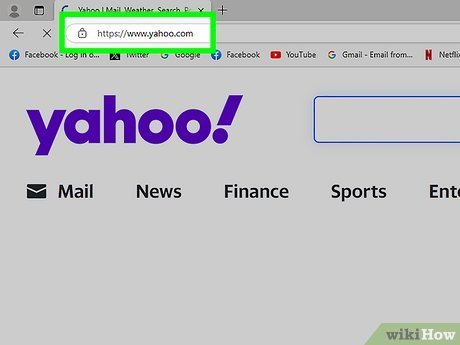
    1. Go to the Yahoo homepage at www.yahoo.com.
    2. Click on the Sign In button at the top right.
    3. Select Create an account at the bottom of the sign-in page.

    Step 2: Enter Your Personal Details

    You’ll need to provide the following information:

    • First and Last Name: Your full name, which will appear on your Yahoo profile.
    • Email Address: Choose a unique email address (e.g., example@yahoo.com).
    • Password: Create a strong password combining uppercase, lowercase, numbers, and special characters.
    • Phone Number: Add a mobile number for account recovery and verification purposes.
    • Date of Birth and Gender: Fill in your details to complete the form.

    Click Continue to proceed.


    Step 3: Verify Your Phone Number

    Yahoo will send a verification code to the mobile number you provided.

    1. Enter the code in the designated field.
    2. Click Verify to confirm your phone number.
    Setting Up Your Yahoo Account: A Step-by-Step Guide
    Setting Up Your Yahoo Account: A Step-by-Step Guide

    Step 4: Set Up Your Yahoo Account

    After successful verification, your Yahoo account is ready.

    • Log In: Use your email address and password to access your new account.
    • Personalize Your Dashboard: Customize the Yahoo homepage to show relevant news, weather updates, and financial insights.

    Step 5: Explore Yahoo Mail

    Yahoo Mail is a primary feature of your account.

    • Inbox Organization: Create folders to categorize emails and keep your inbox tidy.
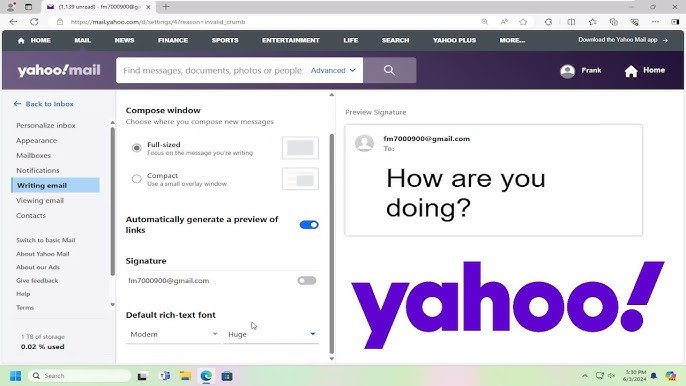
    • Email Signatures: Add a personalized signature for outgoing emails under the settings menu.
    • Filters and Blockers: Set filters to organize emails automatically and block unwanted senders.

    Step 6: Enhance Security Settings

    To protect your Yahoo account, take the following steps:

    • Two-Step Verification: Enable two-step verification for an additional security layer.
    • Account Key: Activate Yahoo Account Key for password-free login.
    • Password Manager: Use a password manager to securely store and manage your credentials.

    Step 7: Sync Yahoo Across Devices

    Access your Yahoo account on any device by downloading the Yahoo Mail app for Android or iOS. Log in using your credentials and enjoy features like notifications and offline email access.


    Step 8: Connect Yahoo with Other Services

    Yahoo integrates seamlessly with other platforms:

    • Social Media Accounts: Link your Yahoo account to social networks for easy access.
    • Calendar and Contacts: Sync Yahoo Calendar and Contacts with your devices for better organization.

    Step 9: Learn Yahoo Features

    Explore other Yahoo services, such as:

    • Yahoo News: Stay updated with breaking news and trending stories.
    • Yahoo Finance: Monitor stock prices and track financial markets.
    • Yahoo Sports: Get live updates on your favorite teams and sports.

    Step 10: Regularly Update Account Information

    Keep your account details current by:

    • Updating your recovery email and phone number.
    • Changing your password periodically for enhanced security.

    Conclusion

    Setting up your Yahoo account is a straightforward process, offering access to a suite of features designed to simplify your digital life. By following these steps, you’ll be ready to explore all that Yahoo has to offer while ensuring your account is secure and customized to your needs.

    Create your Yahoo account today and start enjoying its seamless services!

  • How to Use Yahoo Calendar Effectively

    How to Use Yahoo Calendar Effectively

    If you want to stay organized and keep track of your important events, how to use Yahoo Calendar effectively can make a big difference. With its easy-to-use features and integration with other Yahoo services, Yahoo Calendar is a great tool to help you manage your schedule. In this post, we will show you some simple tips to make the most of Yahoo Calendar.

    1. Set Up Your Calendar

    The first step in how to use Yahoo Calendar effectively is setting it up properly. When you open your Yahoo Calendar, you can customize it to suit your needs. You can select a daily, weekly, or monthly view, depending on what works best for you.

    Choose Your Preferences

    To make your calendar more personal, you can choose colors for your events. For example, you could use one color for work-related events and another for personal appointments. This will make it easier to see your schedule at a glance.

    How to Use Yahoo Calendar Effectively
    How to Use Yahoo Calendar Effectively

    2. Add Events and Appointments

    Now that your calendar is set up, it’s time to start adding events and appointments. Adding an event to Yahoo Calendar is simple. Just click on the date and time you want to add, and a window will pop up where you can enter your event details.

    Include Important Information

    When adding an event, be sure to include all the necessary details. You can enter the event’s title, location, and description. Moreover, you can set a reminder so you won’t forget the event. For example, you can set a reminder 15 minutes before an appointment to make sure you’re on time.

    3. Sync Your Calendar with Other Devices

    One of the best ways to use Yahoo Calendar effectively is by syncing it across all your devices. This way, you can access your calendar from your phone, tablet, or computer at any time.

    Stay Up-to-Date

    Syncing your calendar ensures that you always have the latest updates on your schedule. For example, if you add an event on your computer, it will automatically show up on your phone as well. This makes it easier to stay organized when you’re on the go.

    4. Set Reminders for Your Events

    Setting reminders is a key feature of how to use Yahoo Calendar effectively. Yahoo Calendar allows you to set reminders for each event. You can choose to receive a notification via email or a pop-up reminder on your device.

    Customize Your Reminders

    You can customize your reminders to fit your needs. For instance, you can set multiple reminders for an event. If you have an important meeting, you might set a reminder 30 minutes before and another reminder 5 minutes before the event starts. This helps you stay on track and avoid missing anything important.

    5. Share Your Calendar with Others

    If you need to collaborate or share your schedule with others, Yahoo Calendar makes it easy. You can share your calendar with family members, friends, or colleagues, which is especially helpful for group events or appointments.

    Collaborate with Others

    Sharing your calendar allows others to see your availability and schedule events with you. Additionally, if you’re planning a group activity, everyone can add events to the shared calendar. This eliminates confusion and makes planning much smoother.

    6. Use the “To-Do” List Feature

    In addition to adding events, Yahoo Calendar also has a “To-Do” list feature. This feature helps you keep track of tasks and things you need to accomplish.

    Stay Focused

    To use this feature, simply add tasks to your calendar. You can assign due dates and even mark tasks as complete once they are done. This is a great way to stay focused and ensure you don’t forget any important tasks.

    7. Review Your Calendar Regularly

    To make the most of how to use Yahoo Calendar effectively, it’s important to review your calendar regularly. At the beginning of each week, take a few minutes to go over your schedule and make sure everything is up to date.

    Plan Ahead

    By reviewing your calendar regularly, you can plan ahead for upcoming events and appointments. It’s also a good time to make adjustments if your schedule changes. This helps you stay organized and prepared for the days ahead.

    Conclusion

    In conclusion, how to use Yahoo Calendar effectively comes down to setting it up right, adding events, syncing across devices, and staying on top of your reminders. With just a few simple steps, you can manage your time better and stay organized. By regularly reviewing your calendar and using the to-do list feature, you can keep track of everything you need to do. Yahoo Calendar is a powerful tool, and when used correctly, it can help you stay organized and productive every day.